App Management
※ Last updated: 2025-05-21
Integration App ManagementThe menu is in the SHIELD DRM service.Registering and managing external services or apps using the SDF (Sensitive Docs Flow) containerThis is an item for doing.
You can perform the following functions through this menu:
- Each service or integration system usesRegister SDF container
- Check the metadata of the registered app, such as URL, description, usage status, and last updated time.
- Modification and Deactivation or Deletion of Existing Apps
This menu supports the use of SDF-based document security features in conjunction with external applications. Registration of apps that can communicate with SHIELD DRM must be completed in advance for policy application and document processing integration to be possible.
Integration App Management Screen Configuration
SHIELD DRM Admin Page
연동 앱 관리Click the menu to access the linked app list screen.

Configuration of Linked App List Table
- **Linked App Name:**Indicates the name of the app.
- **Integration App URL:**This indicates the service URL of the app.
- **Integration App Description:**Write a brief description of the app.
- **Last updated:**This is the date and time when the app information was last updated.
Registration and Modification of Linked Apps
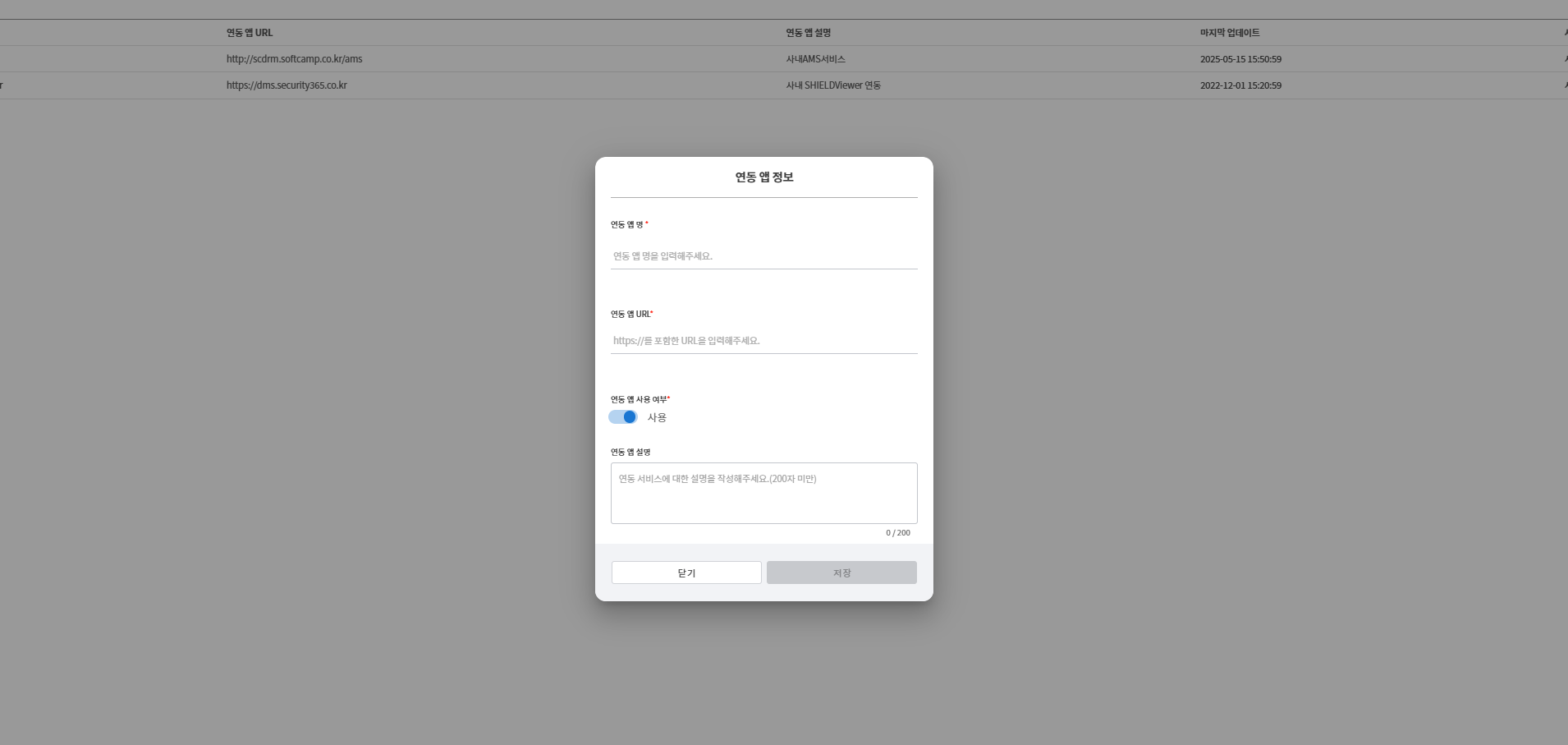
앱 등록Click the button to register a new app.- The app information input field appears.
- **Linked App Name:**Enter the name of the app.
- **Integration App URL:**Enter a URL in the format https://.
- **Use of linked app:**Set the app usage to toggle.
- **Integration App Description:**Write a description of the app. (Within 200 characters)
저장Click the button to complete the app registration.
**TIP:**When entering the app URL, it must comply with the https:// format, and incorrect URLs will not be registered.
Check and Edit Linked App Information
- When you click on the app name in the linked app list, the detailed information and editing screen for that app will be displayed.
- When modifying app information
저장You can click the button to save the changes. 닫기Clicking the button will close the window without saving changes.
Caution
- The URL of the linked app must be unique, and the same URL cannot be registered multiple times.
- If the URL format is incorrect, app registration will be restricted.
- If you disable the use of the linked app, that app will no longer be integrated with the security policy.